Creating a Snapshot
Creating a Snapshot from the Baseshift UI
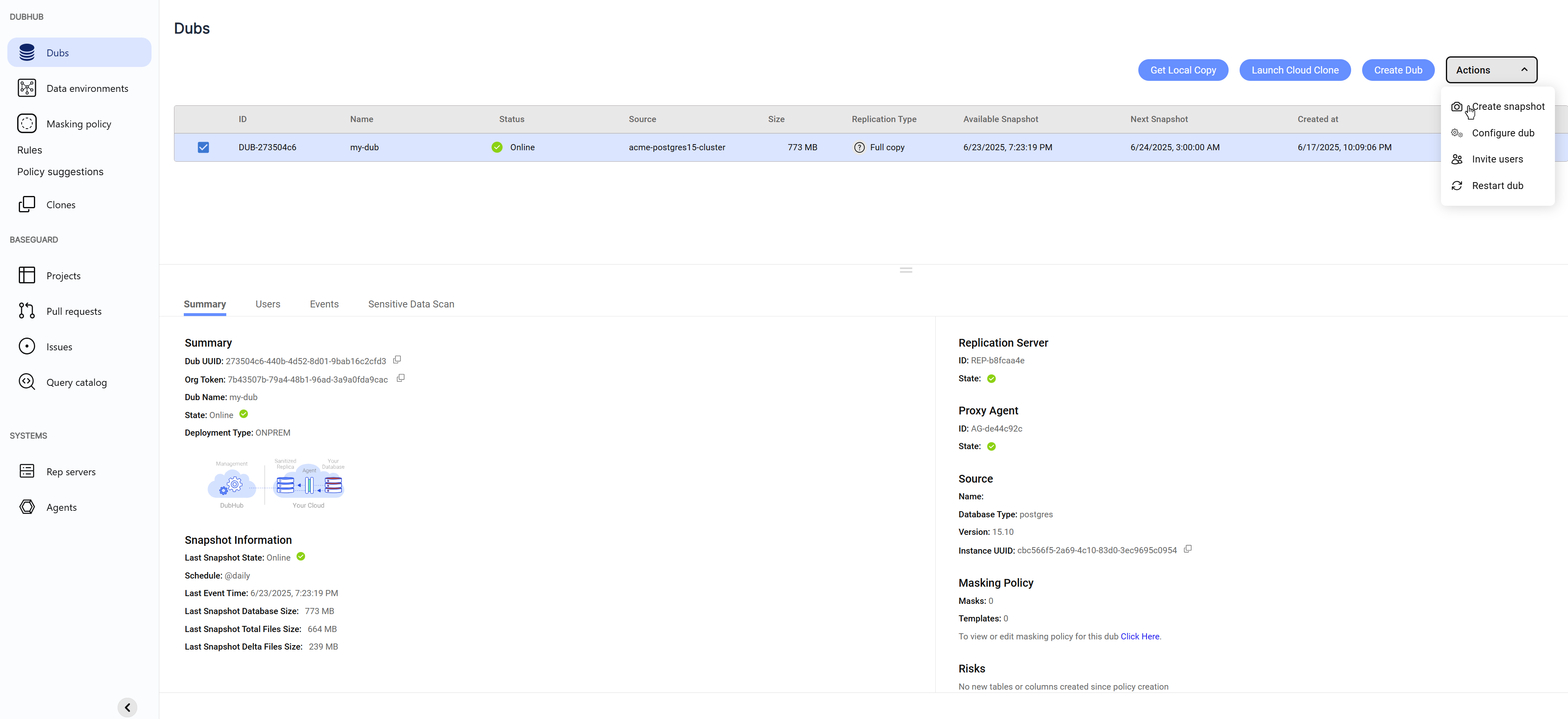
- Go to the Dubs screen.
- Select your Dub.
- Click Actions → Create Snapshot.
Snapshot Log
You can monitor the status of all created snapshots in the Snapshot Log screen.
- Go to the Snapshot Log screen.
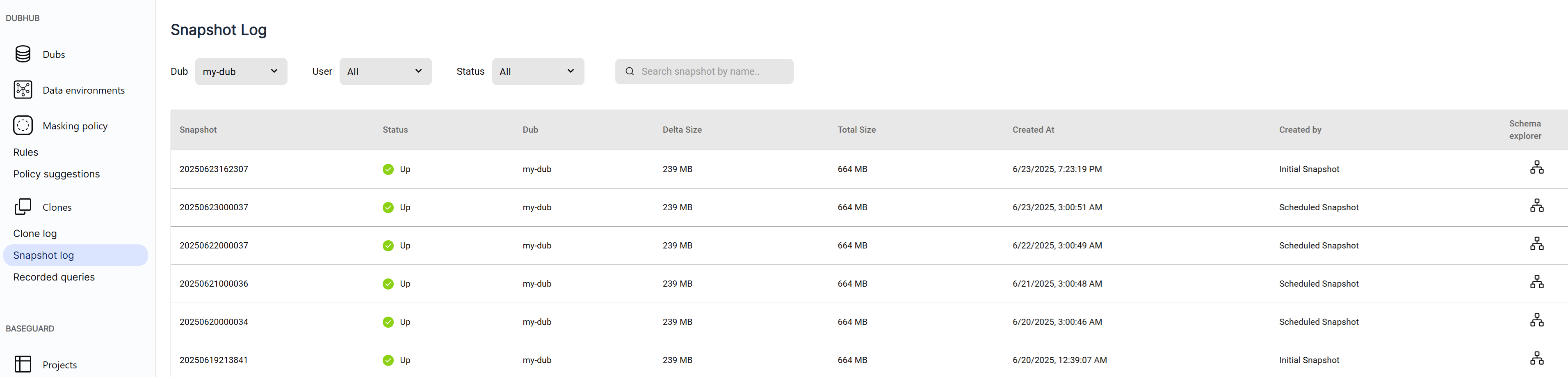
- Filter snapshots by Dub, user, or status.
- If a snapshot fails, click it to view the error details.
- Docker clone images pushed to ECR are tagged with the snapshot name shown in the first column.
Creating a Snapshot from the Baseshift CLI
You can also create snapshots using the Baseshift CLI.
For instructions, see the Baseshift CLI guide.