Server Clones
Server clones run on the replication server and are fully managed by Baseshift.
How you launch and connect depends on your deployment:
- Baseshift Cloud - launched via CLI. The CLI establishes a secure tunnel and provides a connection string.
- Self-Hosted - can be launched from the UI or CLI and accessed directly using a connection string.
Launching a Clone
Baseshift Cloud
Server clones must be launched using the Baseshift CLI. The CLI establishes a secure tunnel and provides a standard connection string.
Click Launch Clone in the UI to generate the command, or see the Baseshift CLI guide.
Self-Hosted
Launching from the UI
To launch a server clone, go to the Dub's screen:
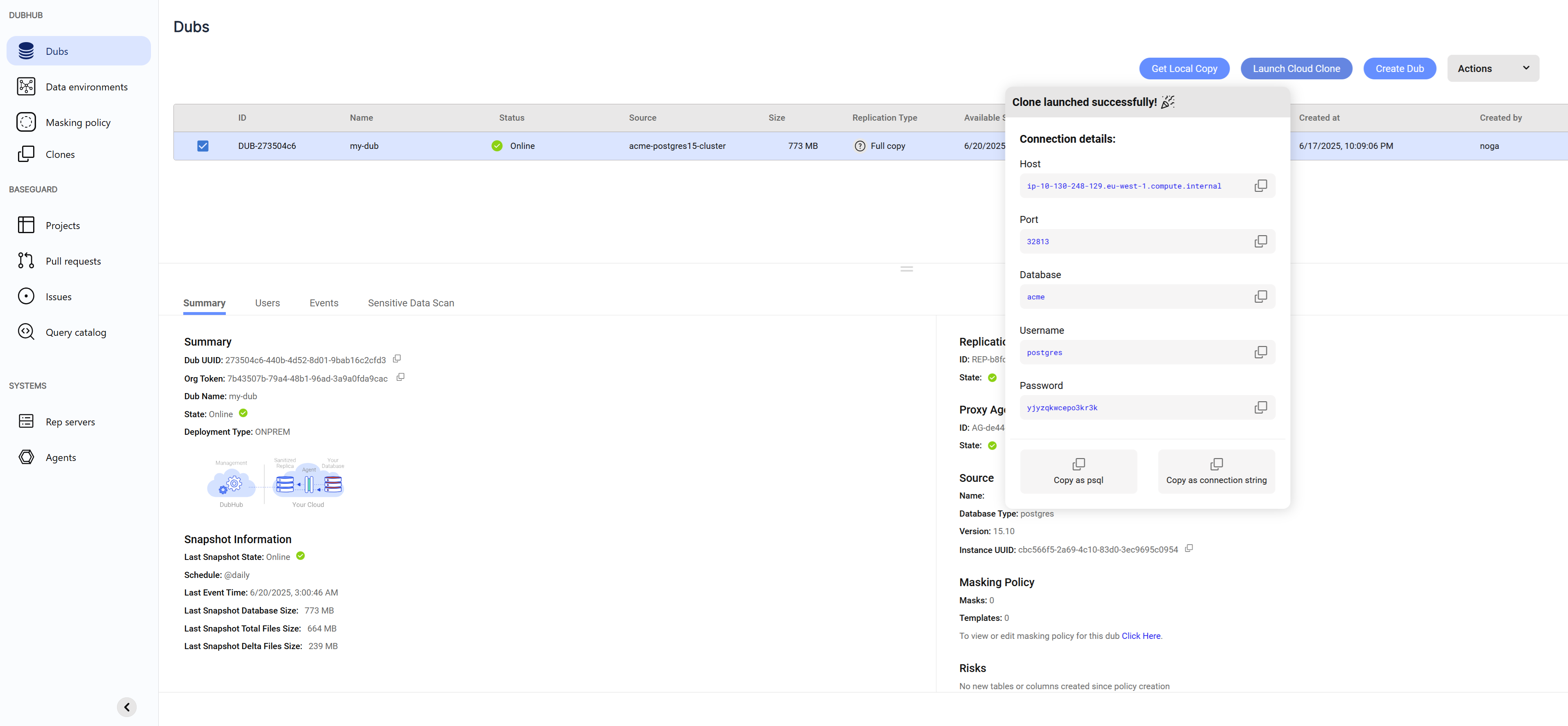
- Select the Dub
- Click Launch Clone
- Copy the connection string and connect to the clone
- You can also launch clones using the Baseshift CLI. For instructions, see the Baseshift CLI guide.
note
The password is temporary and randomly generated for each clone you launch.
Stopping a Clone
To stop a clone manually, go to the Clone Log screen:
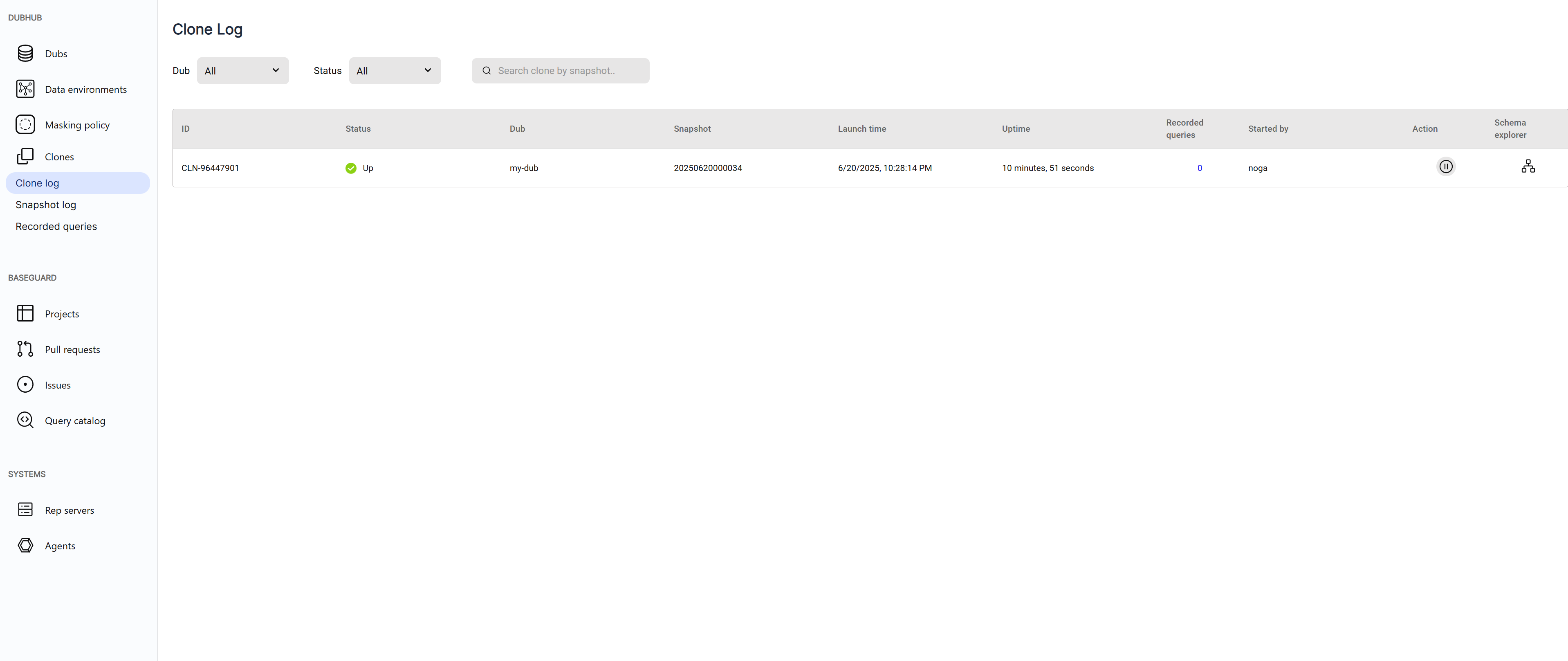
- Find the clone you want to stop
- Click the Pause button in the Actions column
note
Clones automatically shut down when they’ve been inactive for a period of time, or if the snapshot they were created from is deleted.