Select Source Database
In this stage, you'll choose the source database you'd like to clone.
The table displays all instances in your account.
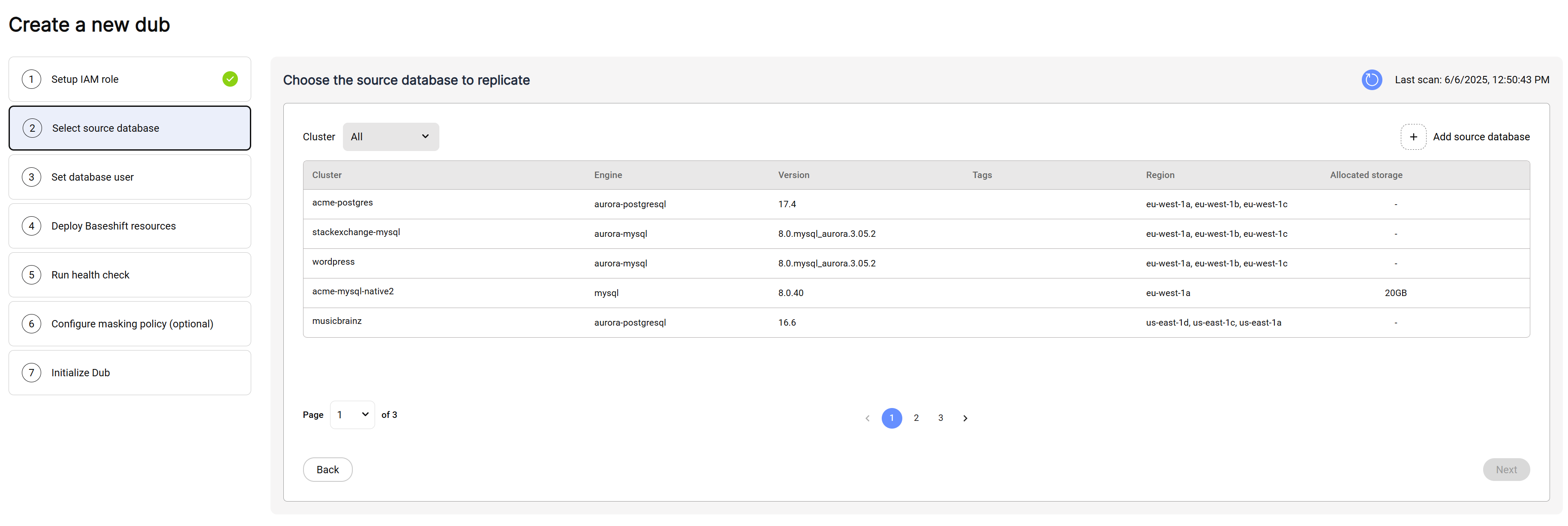
- Click the row of the database you'd like to clone.
- Click "Next" to continue.
To manually add a source database, click on the "Add Source Database" button:
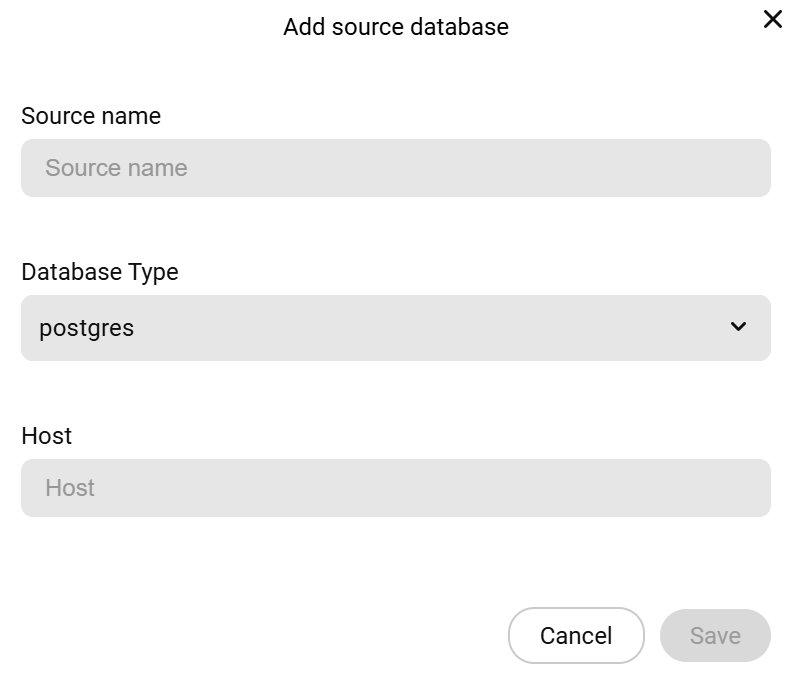
- Enter the name of your source database.
- Choose the database type.
- Enter the hostname or IP address of the instance we should connect to. Typically, this is the endpoint of a read replica.
- Enter the estimated database size in GB. This is used to determine the appropriate volume size for the replication server.
- Click Save.