Setup IAM Role
info
The IAM role only needs to be created once per organization. If you've already completed this step, you'll start directly in stage 2 of the setup wizard.
Baseshift uses an IAM role to establish a trust relationship with AWS and scan your RDS instances on your behalf. Each organization gets a randomly generated External ID, following AWS best practices for controlling who can assume the role (for more details see AWS documentation on third party access).
You can create the IAM role in one of two ways:
Option1: Using Cloudformation
- In the Cloudformation tab click on "Connect to AWS Cloudformation". A new tab will open in the AWS Console.
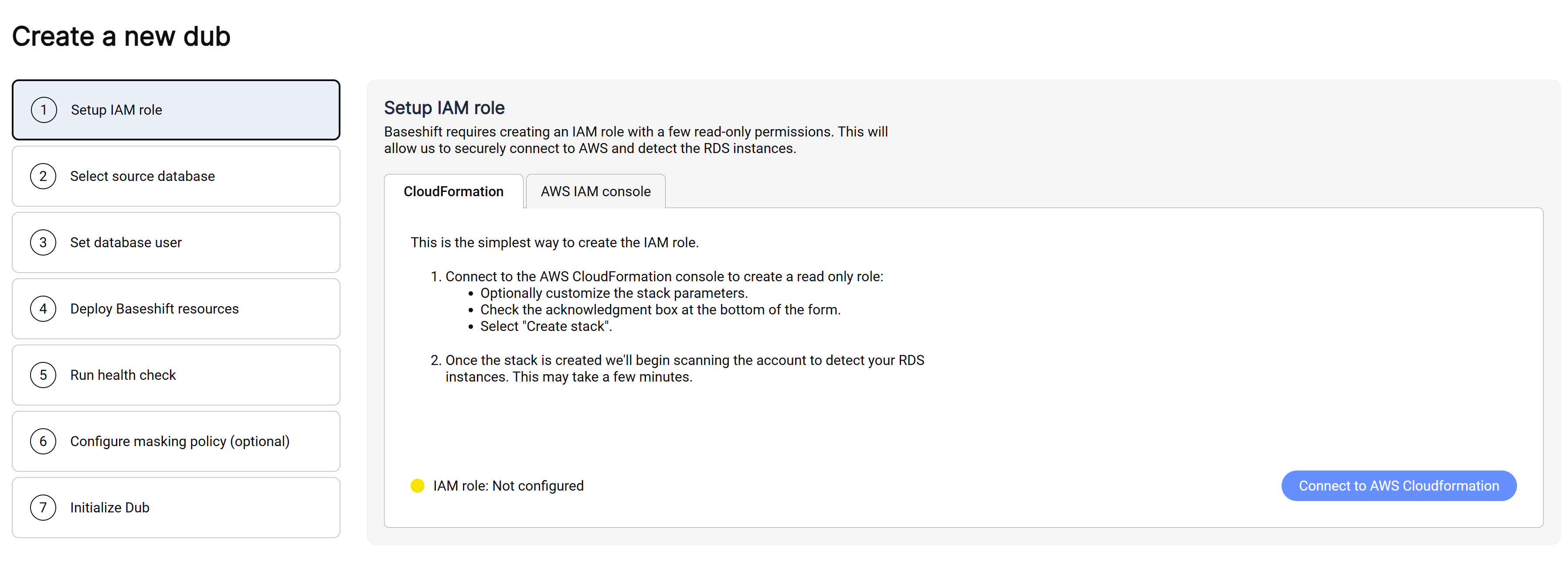
- The Cloudformation stack will be prefilled with the required parameters.
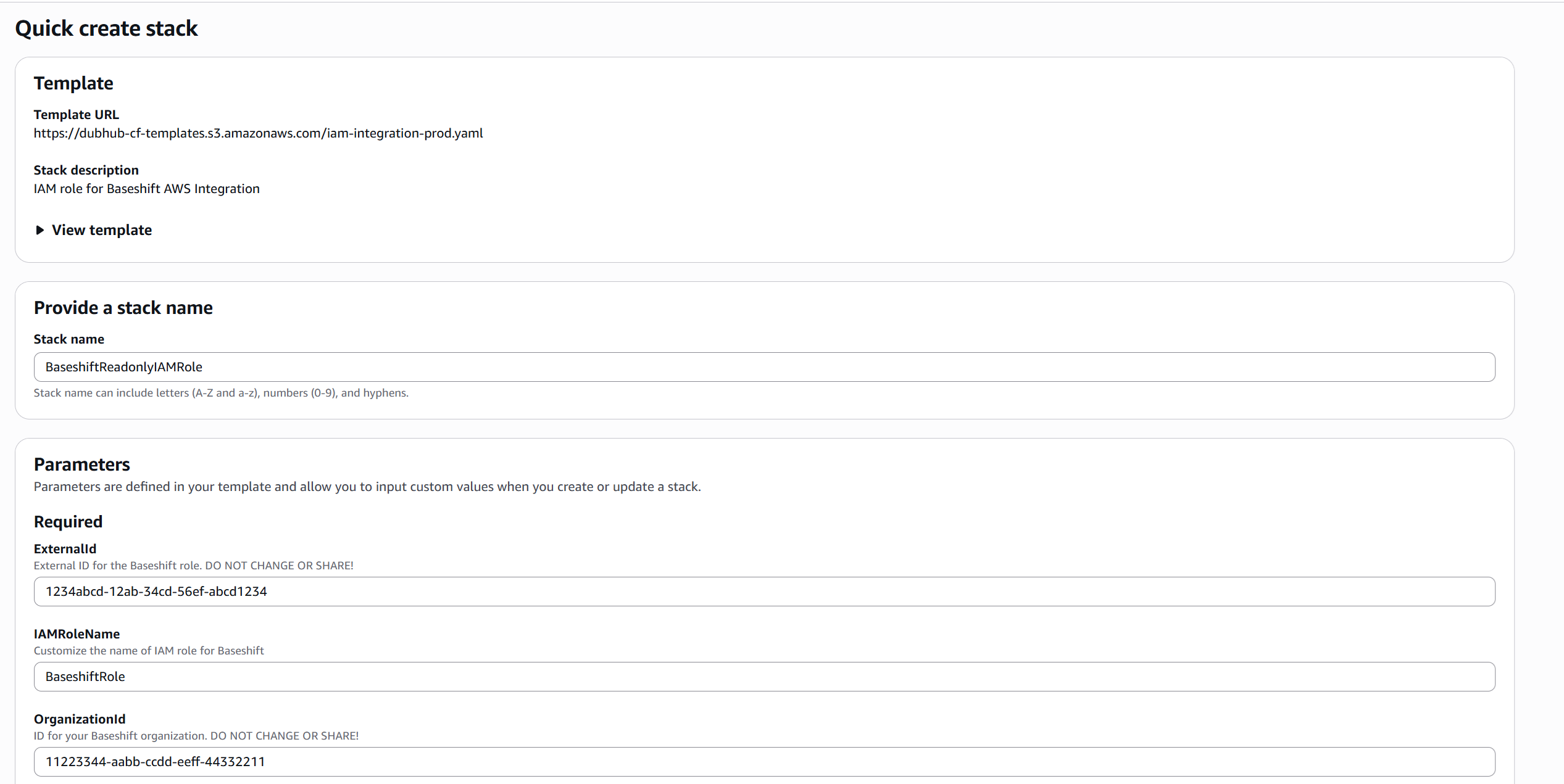
- Scroll down and check the box labeled "I acknowledge that AWS CloudFormation might create IAM resources with custom names".
- Click on "Create stack".
- Once the stack is created, return to Baseshift. The IAM role will be automatically detected and registered.
Option2: Using the AWS Console
- In the AWS IAM Console tab you'll find the Baseshift Account ID, External ID and IAM policy needed to create the role manually.
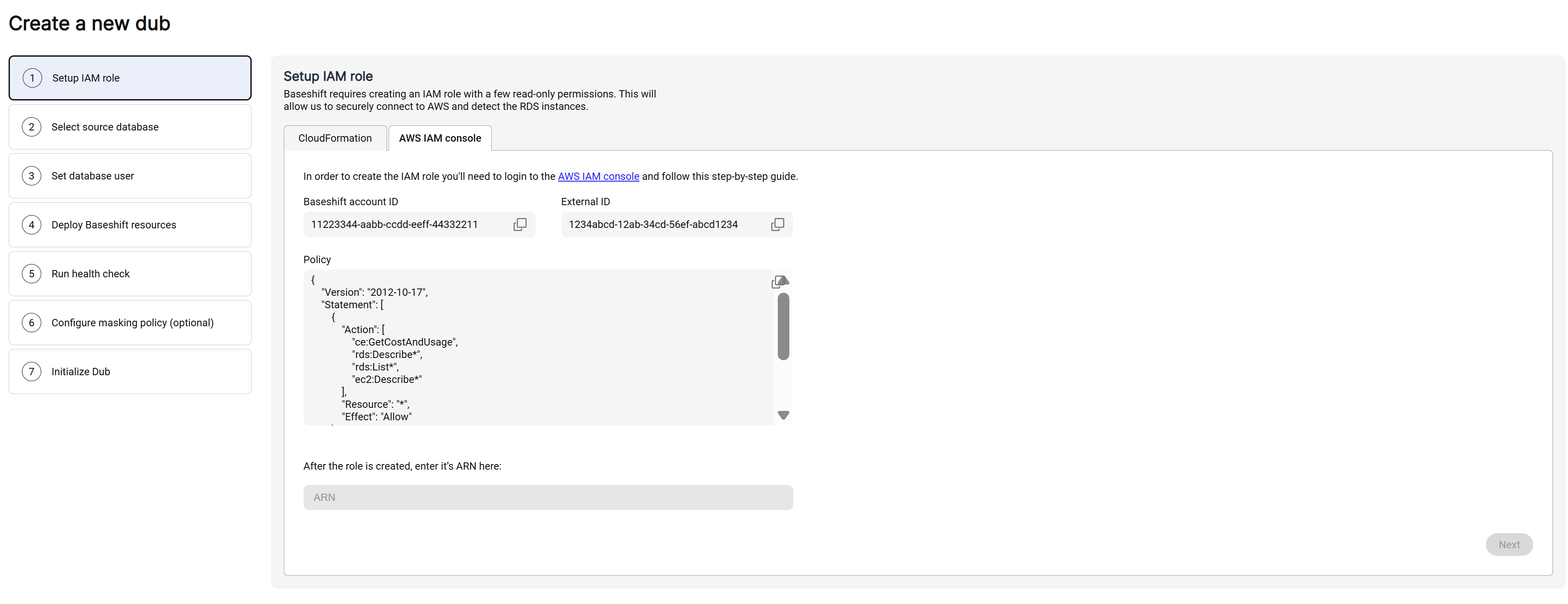
- To create a new role, open the IAM Roles page in a new tab and follow the AWS guidelines for creating a role for a 3rd party account using the details provided.
- After creating the role, copy its ARN and paste it into the "Role ARN" field in Baseshift.
- Click Next to continue.