Run Health Check
The health check verifies the source database’s configuration to ensure the Dub can connect and begin replication safely.
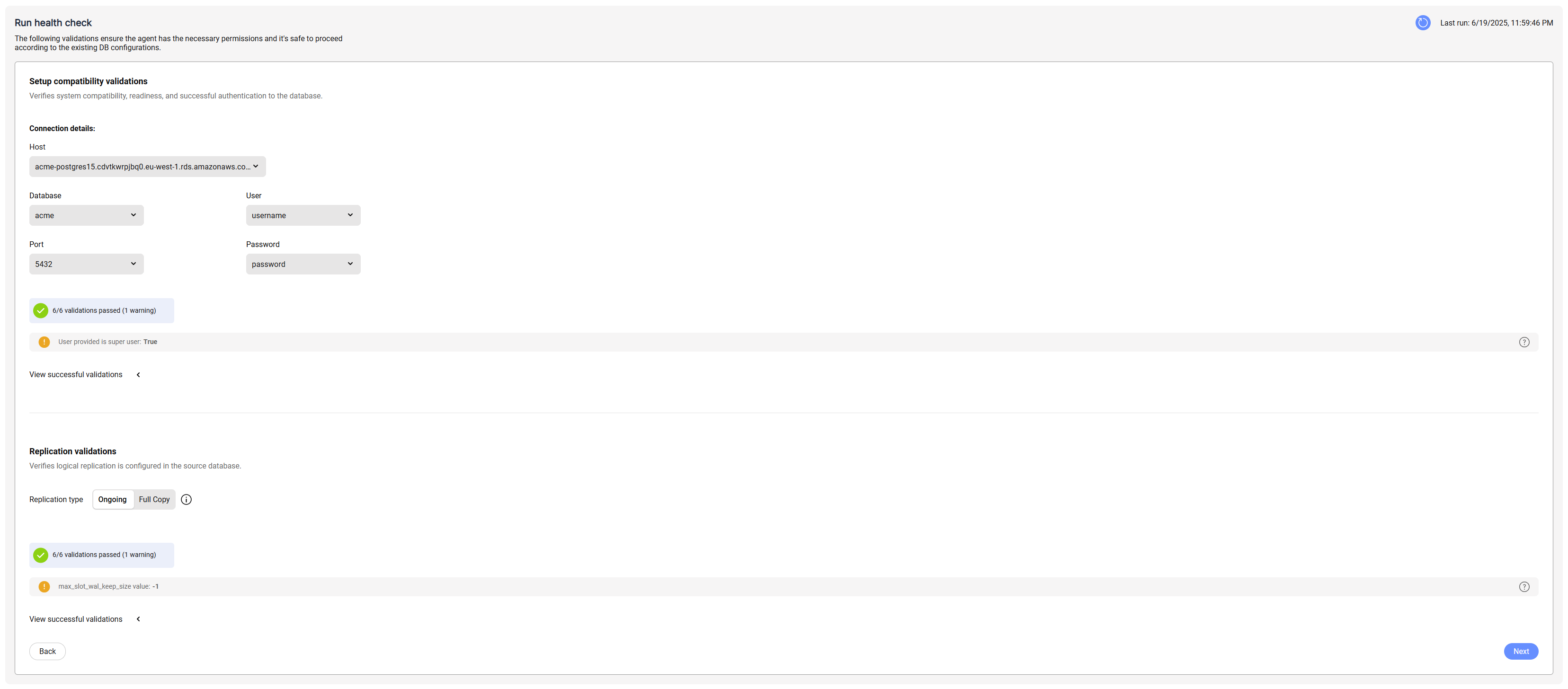
Two types of health checks are performed:
-
Setup Compatibility Validations - Ensure the agent can reach the database, connect to it, and confirm that the source is compatible with Baseshift.
(For details, see limitations) -
Replication Validations - Check that the database is configured correctly for replication.
- You can choose between Logical Replication and Full Copy modes.
- If you select Full Copy:
- choose the databases to copy from the dropdown.
- If Automatically copy new databases is selected, the Dub will detect and copy all new databases created in the source database.
If you see a warning, click it to view details and suggested fixes:

To rerun the health check, click the refresh icon in the top right.
When all validations pass, click Next to continue.